Topics Covered:
Helpful tools for this guide
A token counter becomes much more useful when it answers more than one question. You may need to know how many tokens a prompt contains, whether it fits a model, and what an API request could cost. The best AI token counters now combine counting with pricing, context checks, model comparison, privacy, or budget planning.
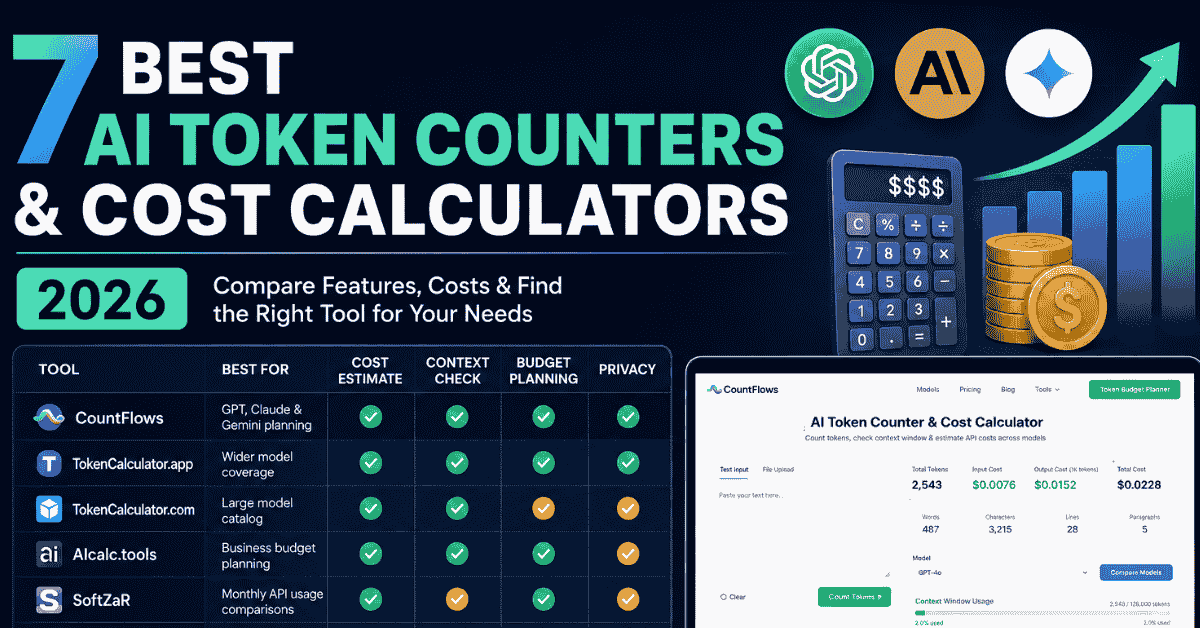
Quick Comparison
Not every AI token calculator solves the same problem. Some focus on model coverage, while others are better for cost planning or simple token estimates.
| Tool | Best for | Cost estimate | Context check | Budget planning | Browser privacy |
|---|---|---|---|---|---|
| CountFlows | GPT, Claude & Gemini planning | Yes | Yes | Yes | Yes |
| TokenCalculator.app | Broad model coverage | Yes | Yes | Yes | Yes |
| TokenCalculator.com | Large pricing catalog | Yes | Yes | Limited | Varies |
| AIcalc.tools | Business budget planning | Yes | Yes | Yes | Varies |
| SoftZaR | Monthly API estimates | Yes | Limited | Yes | Varies |
| ToolJunction | Simple token estimates | Yes | Limited | No | Yes |
| Vortenza | Tokens plus writing statistics | Yes | Basic | No | Varies |
Quick picks
- Best for GPT, Claude and Gemini planning: CountFlows
- Best for wider model coverage: TokenCalculator.app
- Best for a large model pricing catalog: TokenCalculator.com
- Best for business budget planning: AIcalc.tools
- Best for simple browser-based estimates: ToolJunction
Features were checked against the public tool pages on August 26, 2026. AI models, prices, context limits, and tool features can change, so important production costs should always be checked against the provider's current pricing.
How These AI Token Calculators Were Compared
Each tool was reviewed using the same practical criteria: supported model families, token-counting method, API cost estimation, context-window information, model comparison, privacy, budget tools, and pricing transparency. No arbitrary numerical scores were used because a tool that suits one workflow may not suit another.
Accuracy also received extra attention. GPT, Claude, and Gemini don't necessarily tokenize identical text in the same way. A useful calculator should tell you whether its result comes from a model-matched tokenizer or an estimate.
1. CountFlows AI Token Counter & Cost Calculator
Best for combining GPT, Claude and Gemini token estimates with cost and budget planning
The CountFlows AI Token Counter & Cost Calculator combines real-time counting with API cost estimates, context-window usage, model comparison, and a monthly Token Budget Planner. It supports current AI options without requiring an account.
A useful difference is its transparency around accuracy. CountFlows uses the tiktoken family for supported GPT counting, while Claude and Gemini results are clearly presented as estimates. The calculations run inside your browser, so the pasted prompt isn't uploaded to CountFlows for counting or cost calculations.
Key features:
- Real-time tokens, words, characters, lines, and paragraphs
- GPT, Claude, and Gemini model selection
- Estimated AI API cost
- Context-window usage
- Cost comparison across supported models
- Lowest-cost model view
- Monthly token budget planner
- Browser-based processing
- No sign-up
- Clear tokenizer accuracy notes
This combination suits developers, prompt engineers, writers, and teams who want to answer three questions together: How large is my prompt, will it fit, and what could it cost?
2. TokenCalculator.app
Best for wider model coverage
TokenCalculator.app covers more provider families, including OpenAI, Anthropic, Google, DeepSeek, Meta, and Mistral. It combines token estimation with cost, context usage, model pricing, and a monthly cost projector.
Its broader model selection makes it useful if your work regularly moves outside AI. It also offers token visualization and pricing comparison features, which can help developers understand both prompt size and expected spending.
3. TokenCalculator.com
Best for exploring a large model pricing catalog
TokenCalculator.com takes a catalog-first approach. Its current interface covers more than 100 models and displays context limits, regular prompt pricing, cached-token rates, and generated-response pricing.
That depth works well when you're comparing many providers or checking less common models. However, users who only need a fast AI model check may prefer a simpler interface with fewer pricing rows.
4. AIcalc.tools
Best for business budget planning
AIcalc.tools focuses more heavily on turning token usage into a practical budget. It combines model comparisons with workload and spending estimates, making it useful when your main question is not just token quantity but monthly operating cost.
For example, a founder planning a support bot may care more about thousands of monthly requests than a single prompt. A budget-focused LLM cost calculator can make that type of planning easier.
5. SoftZaR AI Token Cost Calculator
Best for monthly API usage comparisons
SoftZaR focuses on the money side of AI usage. Its calculator lets users combine prompt size, generated text, request volume, and model rates to estimate how repeated API calls can affect monthly spending.
That is useful because a tiny per-request price can look harmless. Multiply it by 10,000 or 100,000 requests, however, and small model-price differences can become significant.
6. ToolJunction LLM Token Counter
Best for a simple private estimate
ToolJunction offers a simpler workflow. Paste text, check its estimated size, and compare likely cost across supported AI models without needing an account.
Its browser-focused approach is useful when you don't need advanced budget planning. Users who only want to check a prompt before sending it may prefer this lighter interface over a large pricing dashboard.
7. Vortenza AI Token Counter
Best for writers who also want text statistics
Vortenza combines AI-related estimates with familiar writing measurements. Users can check words, characters, sentences, paragraphs, reading time, and token information from the same text.
That makes it more relevant to writers and content teams than a developer-only pricing calculator. Developers working with current production models may still prefer a tool that puts model pricing, context capacity, and budget planning at the center.
Which AI Token Counter Should You Choose?
Start with your actual task. If you're checking GPT, Gemini prompts and also need context usage, cost comparison, privacy, and monthly planning, CountFlows gives you those functions on one page.
Broader model testing changes the answer. TokenCalculator.app and TokenCalculator.com cover more providers, while business-focused users may prefer a calculator built around monthly spend rather than individual prompt inspection.
Simple rule: Choose the tool that answers the next question you will ask after seeing the token total.
Why Can Token Counters Show Different Results?
Tokenizers don't treat text exactly like a word counter. A token may represent a complete word, part of a word, punctuation, a number, or another text unit. Different model families can also divide the same text differently.
Content type matters too. Code, JSON, URLs, technical terms, formatting, and non-English text can change the ratio. If you're starting from document length, the guide on how many tokens are in 1,000 words explains why word-based conversion remains an estimate.
What Features Actually Matter?
A raw token total is enough for casual checking. API users usually need more information before making a decision.
Look for these features:
- Model-specific token counting or clear estimate labels
- Current AI model pricing
- Prompt and generated-response cost
- Context window usage
- Model-to-model comparison
- Cached-token support where relevant
- Monthly request planning
- Local or private processing
- Visible pricing update dates
For very large text amounts, the 1 million tokens to words guide gives you a clearer idea of how much content that token volume represents.
Why Cost Planning Matters Alongside Token Counting
Knowing that a prompt contains 2,000 tokens doesn't tell you the whole story. Two models can charge different rates, and generated responses can cost more per token than the text you send.
That is where an AI token cost calculator becomes more useful than a basic counter. You can test the actual prompt in the CountFlows AI Token Counter, choose a model, set an expected response size, and estimate both cost and context usage before making an API request.
Frequently Asked Questions
What is the best free AI token counter?
The right choice depends on your models and workflow. CountFlows is designed for users who want LLM token estimates together with cost, context, comparison, and budget planning.
Which token counter supports GPT, Claude and Gemini?
Several tools support these model families. CountFlows combines all three with cost estimation, context-window checks, model comparisons, and browser-based calculations.
Is a token counter the same as a cost calculator?
No. A basic counter measures token usage, while a token cost calculator applies model pricing to estimate what that usage may cost.
Can GPT tokens be counted accurately?
A tool can closely match supported GPT tokenization when it uses the appropriate OpenAI tokenizer. CountFlows uses the tiktoken family for its supported GPT calculations.
Do Claude and Gemini use the same token count as GPT?
No. Different model families can tokenize the same text differently, which is why cross-provider figures should not automatically be treated as identical.
Why should I check the context window?
A model has limited context capacity. Your instructions, prompt, conversation history, retrieved information, and generated response can all consume that available space.
Do writers need a token calculator?
Usually only when their content will be processed by an AI model. For normal essay or article length, a word counter is more appropriate.
Final Takeaway
The best AI token counters don't simply show a token number. They help you understand whether your text fits the selected model, what the request could cost, and how that cost may change across repeated usage.
Different tools have different strengths. Broad model catalogs suit developers comparing many providers, while simpler counters work well for quick prompt checks.
For AI workflows, CountFlows combines token estimates, AI API cost, context-window checking, model comparison, privacy, and monthly budget planning in one browser-based tool. Test your real prompt before choosing a model rather than relying only on a generic words-to-tokens estimate.
Related Articles
Continue with closely related CountFlows guides.
AI
Why ChatGPT, Claude, and Gemini Stop Mid-Sentence
Discover the three unrelated reasons AI models stop mid-sentence and the exact steps to fix output caps, context window overflows, and connection issues.
AI
Is an Em Dash a Sign of AI? Why AI Uses Em Dashes (2026)
Learn why em dashes are associated with AI writing, why AI tools use them, whether they can identify AI-generated text, and how to remove them when needed.
AI
Why AI Chatbots Can't Count Syllables (And How to Fix Them)
AI chatbots can explain the 5-7-5 haiku rule perfectly, yet still produce lines with the wrong syllable count. Learn why tokens and sounds do not match, why AI-generated lyrics often fail to fit melodies, and how to fix the problem with an external syllable counter.