Topics Covered:
Helpful tools for this guide
Table of Contents
- Quick Fix: Why Did AI Stop Writing?
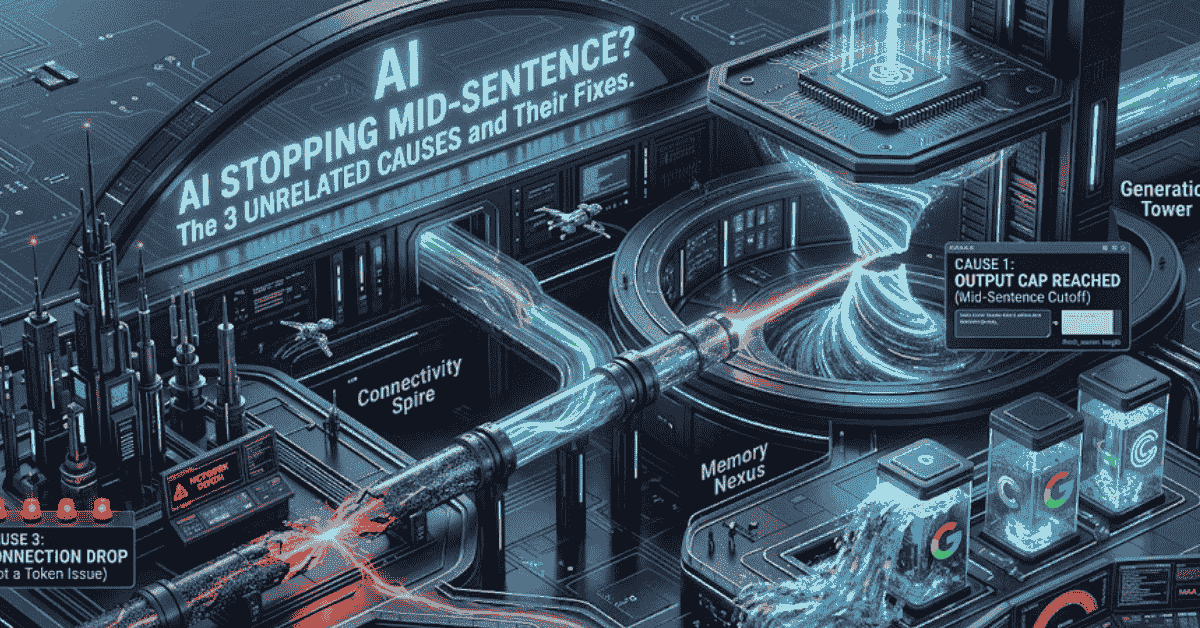
- It's Not One Problem — It's Three
- Cause 1: You Hit the Output Length Cap
- Cause 2: You Hit the Context Window Limit
- Cause 3: It's Not Tokens At All
- How to Fix Each Cause
- If it's the output cap (Cause 1):
- If it's the context window (Cause 2):
- If it's not a token issue at all (Cause 3):
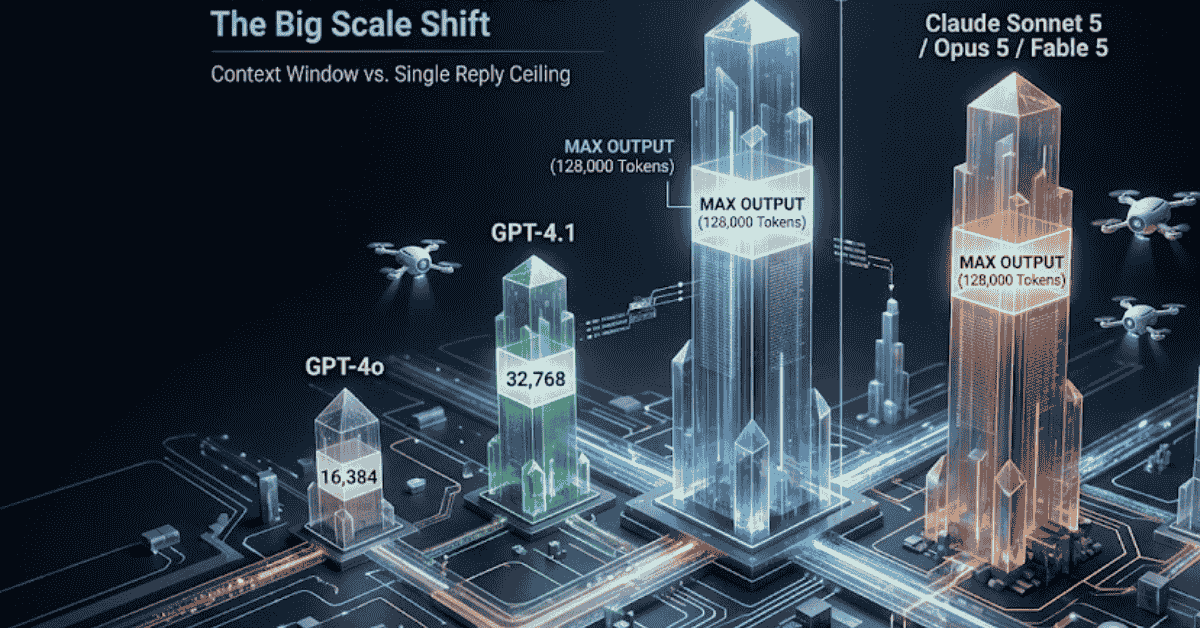
- Max Output Tokens by Model (2026)
- Check Your Usage Before You Hit the Wall
- FAQ
- Why does ChatGPT stop writing code in the middle of a function?
- Is "message too long" the same error as the model stopping mid-response?
- Why did Claude forget something I said earlier in a long chat?
- Does asking the model to "continue" always work?
- How do I know if a cutoff is a connection issue and not a token limit?
- Do longer AI subscriptions (Plus, Pro) fix this?
You're watching ChatGPT write out a good answer, and it just... stops. Mid-word, mid-thought, no error message. Or Claude tells you your message is too long when your prompt looked short. Or the response you were reading a second ago vanishes and reappears as "network error."
These look like the same bug. They're actually three unrelated problems, and each one has a completely different fix.
Quick Fix: Why Did AI Stop Writing?
If ChatGPT or Claude stops generating text mid-sentence with no error message, it has hit its Max Output Token limit.
- The Fix: Simply type "Continue exactly where you left off" and hit send. The AI will resume generating the rest of the text.
- The Prevention: Check your prompt length in our Free AI Token Counter before you send it to avoid hitting the hidden ceiling.
It's Not One Problem — It's Three
Most guides treat "the AI stopped talking" as a single issue and hand you one generic tip: type "continue." That works for exactly one of the three causes below and does nothing for the other two.
Here's the short version before we go deep on each:
- Cause 1 — Output cap. The model hit its maximum reply length. This is the true "mid-sentence" cutoff.
- Cause 2 — Context window overflow. Your prompt plus chat history got too big for the model to hold in memory. This usually shows up as an error message or the model forgetting earlier parts of the conversation, not a literal cutoff mid-word.
- Cause 3 — Not a token problem at all. A dropped connection, a slow render, or a UI bug swallows part of the response.
Knowing which one you're dealing with changes what you do next.
Cause 1: You Hit the Output Length Cap
Every model has a ceiling on how much text it can generate in a single reply, separate from how much it can read. OpenAI counts every token against that ceiling with its own open-source library, tiktoken — the same tokenizer behind the exact GPT counts on the Token Counter. When a response reaches that ceiling, the API returns a flag — OpenAI calls it finish_reason: "length", Google calls it MAX_TOKENS — and the text just ends, often mid-sentence, with no error shown to you.
This is the most common cause of the classic "ChatGPT stopped writing code halfway through" complaint, especially on longer tasks like generating an essay, a full script, or a big block of code in one shot.
Quick check: If a response stopped without any error message and it happened during a long, detailed answer, this is almost always the cause. Paste your prompt into the AI Token Counter to see how much output room you actually have left before you hit the ceiling.
How to tell it's this one: The response was clearly still going somewhere useful, it stopped without any error text, and it happened during a long or detailed answer.
Cause 2: You Hit the Context Window Limit
The context window is the model's total working memory for the conversation — your prompt, the chat history, any uploaded files, and its own replies, all counted together in tokens. This is a different budget from the output cap above, and it's the one behind ChatGPT's "message too long" error and Claude's "this conversation has gotten long" prompt to start fresh.
When you overflow the context window, one of two things happens: you get an explicit error before the model even replies, or — if the app silently trims older messages to make room — the model starts "forgetting" things you said early in the conversation. That second version is sneakier, because nothing looks broken. The model just quietly loses the thread.
Pasting a long document is the most common trigger. A 40-page PDF, a full email thread, or several rounds of back-and-forth in one chat can eat through a context window fast, especially once you factor in that Word documents converted to text and code files with heavy indentation both burn tokens faster than plain prose. If you're not sure whether your document will fit, check the exact count with the Free AI Token Counter before you paste it in — it's the fastest way to catch an overflow before it happens instead of after.
Cause 3: It's Not Tokens At All
Sometimes nothing about token limits is involved. A response gets cut off because of:
- A dropped or slow internet connection mid-stream.
- A browser tab losing focus and pausing the render.
- A platform-side bug or outage (these happen to every provider, including Anthropic and OpenAI, and get discussed openly on their own developer forums).
Refresh and resend, this resolves the majority of connection-related cutoffs.
On Gemini specifically, clear the app or browser cache. This fixes persistent stuck-loading or corrupted-response errors that a simple refresh won't.
How to tell it's this one: Refreshing the page and resending usually fixes it completely, and the cutoff often happens at a random point rather than after a suspiciously long, detailed answer.
How to Fix Each Cause
If it's the output cap (Cause 1):
- Ask the model to continue exactly where it left off, rather than starting over.
- Break the task into smaller chunks upfront — ask for section 1, then section 2, instead of the whole thing at once.
- If you're building on the API, raise your
max_tokens/max_output_tokensparameter, since the default is often far lower than the model actually supports.
If it's the context window (Cause 2):
- Trim your prompt to only what's necessary — remove repeated instructions, old messages, or unused background.
- Start a fresh conversation for a new topic instead of continuing an old, long thread.
- For long documents, summarize or split them into sections rather than pasting the whole thing.
- Paste your text into the AI Token Counter first to see exactly how many tokens it uses against each model's limit, before you find out the hard way.
If it's not a token issue at all (Cause 3):
- Refresh and resend — this resolves the majority of connection-related cutoffs.
- Check the provider's status page if it keeps happening across different prompts.
- Copy the visible text before refreshing, in case the content is there but just not rendering correctly.
Max Output Tokens by Model (2026)
This is the number that governs Cause 1 specifically — how long a single reply can be, independent of how much the model can read. Figures below are current API specs as of July 2026; consumer apps (the ChatGPT, Claude, and Gemini web/mobile interfaces) often apply their own smaller practical limits on top of these, and those change frequently between free and paid tiers.
| Model | Context Window | Max Output |
|---|---|---|
| GPT-4o | 128,000 tokens | 16,384 tokens |
| GPT-4.1 | ~1,047,576 tokens | 32,768 tokens |
| GPT-5.6 (Sol / Terra / Luna) | ~1,050,000 tokens | 128,000 tokens |
| Claude Sonnet 5 / Opus 5 / Fable 5 | 1,000,000 tokens | 128,000 tokens |
| Claude Haiku 4.5 | 200,000 tokens | 64,000 tokens |
| Gemini 3.1 Pro | 1,048,576 tokens | ~64,000 tokens |
| Gemini 3.6 Flash | 1,048,576 tokens | 65,536 tokens |
A few things worth noticing in this table. First, the context window and the max output are two completely separate numbers — a model that can read a million tokens might still only be able to write 64,000 in one go. Second, output caps rose sharply across every provider through 2026; older models like GPT-4o's 16,384-token ceiling now look small next to GPT-5.6 and Claude's 128,000-token outputs. If you're hitting cutoffs on an older model, switching to the current one is often the simplest fix.
Check Your Usage Before You Hit the Wall
The pattern behind almost all of this — cut-off replies, "message too long" errors, a model that quietly forgets earlier context — comes down to not knowing how many tokens your text actually uses until you've already hit the limit. Paste your prompt, document, or code into the Online Token Counter and it shows you the exact count for GPT, Claude, and Gemini side by side, along with word and character counts, so you can see the problem coming instead of guessing after the fact. It runs entirely in your browser — nothing you paste is uploaded or stored.
If you're cleaning up a document before you paste it in, the AI Text Cleaner strips out invisible characters and markdown clutter that quietly inflate your token count without adding any real content. And if you just need a fast word or character tally without the full model breakdown, the Word Counter and Character Counter cover that in one click.
FAQ
Why does ChatGPT stop writing code in the middle of a function?
Code eats tokens faster than plain prose because of indentation, punctuation, and long variable names, so long code generations hit the output cap sooner than you'd expect from the word count alone. Ask it to continue from the last line, or request the code in smaller pieces.
Is "message too long" the same error as the model stopping mid-response?
No. "Message too long" is a context window error (Cause 2) that happens before the model replies at all. A mid-sentence cutoff (Cause 1) happens during generation, after the model has already started answering.
Why did Claude forget something I said earlier in a long chat?
This is a context window overflow. Once a conversation exceeds Claude's context limit, older messages can get pushed out to make room for new ones, so the model responds as if that information was never given.
Does asking the model to "continue" always work?
It works for Cause 1 (output cap) because the model can pick up from where the text stopped. It doesn't help with Cause 2, since the underlying issue is the model running out of room to hold the conversation, not the length of a single reply.
How do I know if a cutoff is a connection issue and not a token limit?
If refreshing and resending the exact same prompt fixes it, or the cutoff happens at a random, unrelated point rather than after a long detailed answer, it's more likely a connection or rendering issue than a genuine token limit.
Do longer AI subscriptions (Plus, Pro) fix this?
Paid tiers generally raise both the context window and the practical output limits your account is allowed to use, so upgrading can reduce how often you hit either limit — but it doesn't eliminate the caps entirely, since every model still has a hard ceiling.
Related Articles
Continue with closely related CountFlows guides.
AI
Is an Em Dash a Sign of AI? Why AI Uses Em Dashes (2026)
Learn why em dashes are associated with AI writing, why AI tools use them, whether they can identify AI-generated text, and how to remove them when needed.
AI
Why AI Chatbots Can't Count Syllables (And How to Fix Them)
AI chatbots can explain the 5-7-5 haiku rule perfectly, yet still produce lines with the wrong syllable count. Learn why tokens and sounds do not match, why AI-generated lyrics often fail to fit melodies, and how to fix the problem with an external syllable counter.
AI
1 Million Tokens to Words: 7 Useful Conversions
Discover how many words, pages, and characters are in 1 million tokens, why estimates vary by model and language, and when to measure real text instead of guessing.