Topics Covered:
Helpful tools for this guide
Table of Contents
- Key takeaways
- How we picked these apps
- What the science says before you download anything
- Speed reading apps for PC compared
- The 11 best speed reading apps for PC
- 1. Spreeder: best overall
- 2. SwiftRead: best browser extension
- 3. AccelaReader: best free speed reading tool
- 4. Reedy: best lightweight Chrome reader
- 5. BeeLine Reader: best for long reading sessions
- 6. Readlax: best brain training apps for speed reading
- 7. Readsy: fastest way to try RSVP
- 8. AceReader: best structured practice
- 9. FasterThanSight: best offline fast reading software
- 10. Speed Reading Book Reader: native Windows pick
- 11. Speechify: best audio alternative
- How to choose the right speed reading tool
- Prove your app works: a five-minute weekly test
- FAQs
- Which is the best speed reading app for PC?
- Do speed reading apps really work?
- What is RSVP in a fast reading application?
- Can I increase reading speed online for free?
- How long until a speed reading app shows results?
- Conclusion
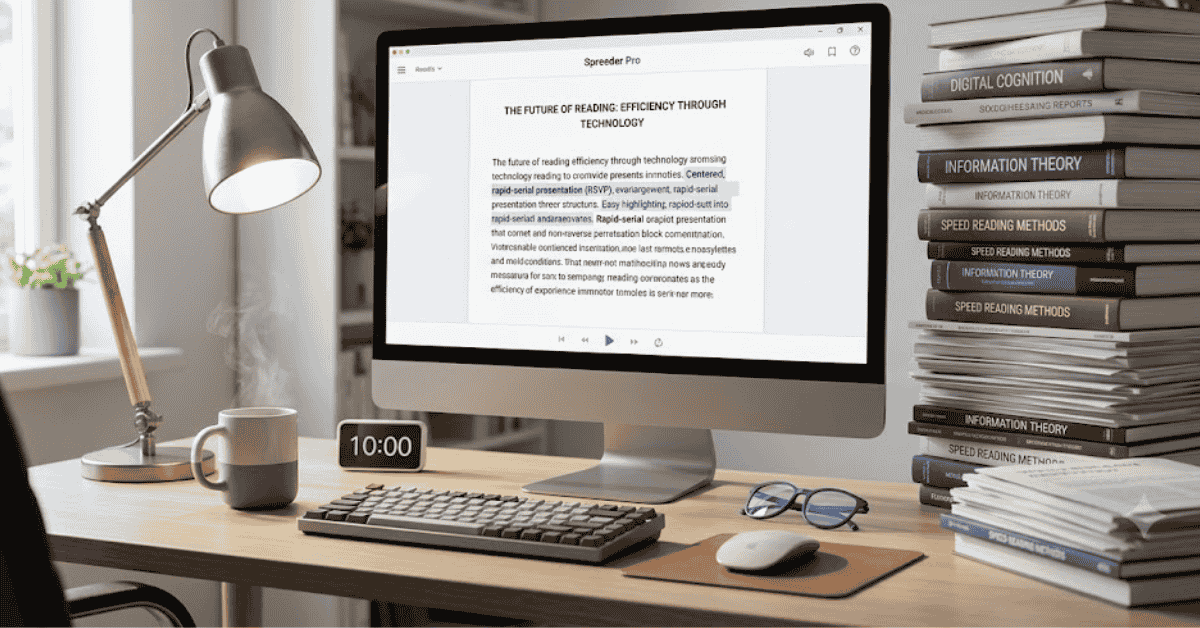
The best speed reading application that you can use on a PC is Spreeder ($67 lifetime). It is because it combines a RSVP reader and 24 drills for training and tracking progress. The best free speed reading application is AccelaReader, the best browser extension is SwiftRead, and the best software for offline fast reading is FasterThanSight. First, test your reading speed, then practice for ten minutes a day, and re-test weekly.
If you want a quick way to measure your own pace before trying these apps, use the Reading Time Calculator to estimate how long a passage takes to read at your current speed.
Key takeaways
- Best overall: Spreeder · Best free: AccelaReader · Best extension: SwiftRead · Best offline: FasterThanSight
- The average adult reads silent non-fiction at 238 words per minute, based on a meta-analysis of 190 studies and about 18,500 participants.
- A good speed reading app can help you climb toward 300 to 400 WPM. Claims of 1,000+ WPM with full comprehension fail controlled testing.
- Measure your baseline with the Reading Time Calculator, then re-test weekly to track real gains.
Your reading backlog grows faster than you clear it. Reports, research, and saved articles pile up, and every hour at your desk feels slower than it should. A speed reading app for PC cuts through that backlog, but most "best apps" lists cover phones and ignore desktop readers completely. This guide compares the 11 best speed reading apps that actually run on your PC, with checked prices, real features, and a simple weekly test to prove your gains.
How we picked these apps
Every speed reading app below had to pass four checks:
- Runs on PC. Native Windows software, a web app, or a Chrome or Edge extension. Mobile-only apps such as Outread and QuickReader did not qualify.
- Actively maintained. We removed abandoned tools, including Speed Reading III, which last updated in 2012.
- Verifiable pricing. Prices come from official listings checked in July 2026 and can change.
- A free version or trial. You should confirm a tool fits your reading style before paying.
What the science says before you download anything
A speed reading app changes how text reaches your eyes. It cannot change how your brain builds meaning. The Brysbaert (2019) meta-analysis of 190 studies and roughly 18,500 participants puts the average adult at 238 WPM for silent non-fiction and 260 WPM for fiction.
| Reading type | Average speed |
|---|---|
| Reading aloud | 183 WPM |
| Silent reading, non-fiction | 238 WPM |
| Silent reading, fiction | 260 WPM |
| Skimming for the main idea | 400+ WPM (lower recall) |
The ceiling matters too. Rayner et al. (2016) reviewed the evidence and concluded that readers cannot double or triple their speed while keeping the same comprehension. Research on inner speech also shows that suppressing subvocalization hurts understanding on harder material.
So set an honest goal. Use these tools to move from average toward 300 to 400 WPM with steady comprehension, and pair them with the six habits in our guide to reading faster without losing comprehension.
Speed reading apps for PC compared
| App | Best for | Runs on PC via | Price |
|---|---|---|---|
| Spreeder | Overall training + reading | Web and desktop | $67 lifetime |
| SwiftRead | Reading web pages faster | Chrome, Edge extension | Free; Pro from $10/mo |
| AccelaReader | Free RSVP practice | Any browser | Free |
| Reedy | Lightweight reading | Chrome extension | Free + in-app purchases |
| BeeLine Reader | Long sessions, less eye fatigue | Chrome, Firefox | Trial, then subscription |
| Readlax | Brain training | Web, Chrome | Free; Pro from $3.80/mo |
| Readsy | Trying RSVP in seconds | Web | Free |
| AceReader | Structured practice with tests | Web | From $59/year (2 users) |
| FasterThanSight | Offline desktop reading | Windows, Mac, Linux | Free, open source |
| Speed Reading Book Reader | Native Windows app | Microsoft Store | Free |
| Speechify | Audio alternative | Chrome, desktop | Free tier + premium |
The 11 best speed reading apps for PC
1. Spreeder: best overall
Runs on: Web and desktop · Price: $67 lifetime with a 7-day free trial
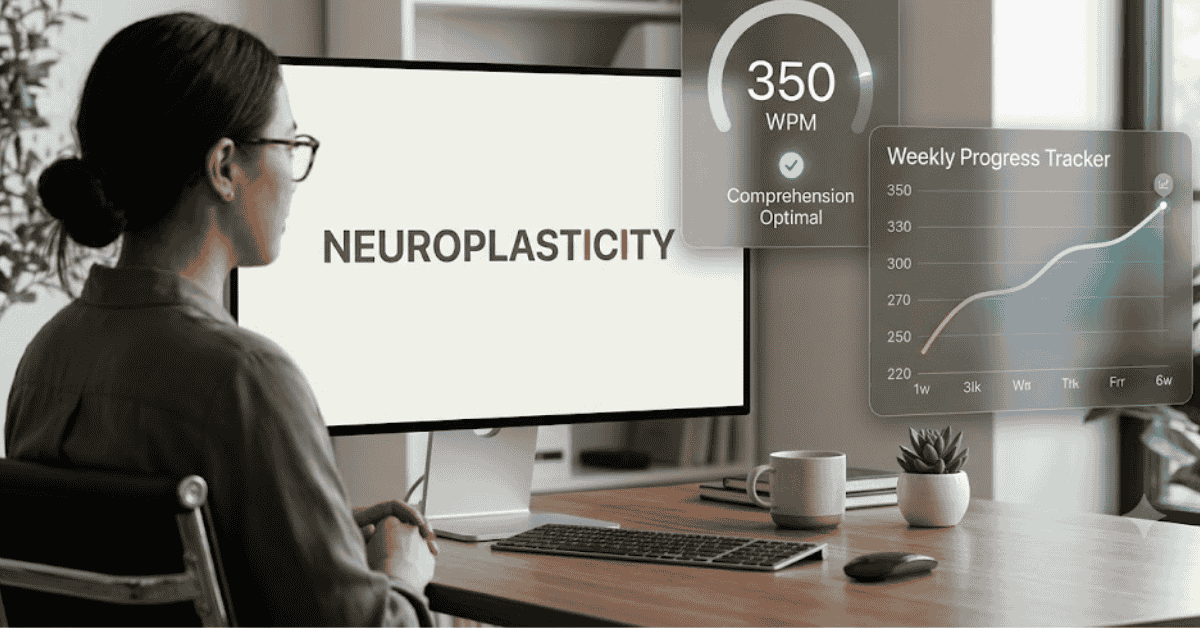
Spreeder pairs an RSVP reader with a full training program. You get 24 drills, progress tracking, and four reading modes, including word flashing and guided highlighting. Keyboard shortcuts speed up the desktop experience.
The cloud library accepts 46 file and ebook formats, and premium users get access to 20,000 free ebooks. Pick this speed reading app if you want structured improvement, not just a faster display.
2. SwiftRead: best browser extension
Runs on: Chrome and Edge · Price: Free version; Pro from $10.00/month on the annual plan
SwiftRead overlays an RSVP reader on any web page with one click. It highlights a key letter in each word to anchor your eyes, which makes higher speeds easier to follow.
The free version covers everyday browsing. Pro adds PDF and ebook support, premium fonts, and adjustable pauses for punctuation. For tab-heavy work, this is the fast reading application to install first.
3. AccelaReader: best free speed reading tool
Runs on: Any browser · Price: Free
AccelaReader keeps things simple. Paste your text, set your words per minute and chunk size, and press Read. The tool then flashes words at your chosen pace.
You can also add it to your browser as a bookmarklet. As a zero-cost way to practice RSVP on a PC, it is hard to beat.
4. Reedy: best lightweight Chrome reader
Runs on: Chrome extension (also Android) · Price: Free with in-app purchases ($3.91 to $39.87)
Reedy gives you three reading modes and slows down automatically for punctuation and long words. That small touch keeps comprehension steadier at higher speeds.
It handles articles, ebooks, and web pages with a minimal interface. You spend your time reading instead of adjusting settings.
5. BeeLine Reader: best for long reading sessions
Runs on: Chrome and Firefox extensions · Price: Free trial, then a subscription
BeeLine skips RSVP entirely. It applies a color gradient across each sentence so your eyes glide to the next line without losing their place.
This approach suits readers who dislike word flashing. It will not triple your pace, but it smooths line changes and reduces eye fatigue on long documents.
6. Readlax: best brain training apps for speed reading
Runs on: Web and Chrome extension · Price: Free basic plan; Pro from $3.80/month on the annual plan
Readlax highlights phrases instead of single words, which trains your eyes to take in word groups. That skill carries over to normal reading, not just reading inside the app.
It also bundles memory grids and focus games alongside the reading drills. The mix keeps daily practice interesting enough to stick with.
7. Readsy: fastest way to try RSVP
Runs on: Web · Price: Free
Readsy runs on Spritz technology. Paste a URL, a block of text, or a PDF, choose a speed, and it streams the content one word at a time.
There are almost no settings, and that is the point. Use it to find out how RSVP feels before you pay for a bigger speed reading app.
8. AceReader: best structured practice
Runs on: Web · Price: From $59/year for two users
AceReader builds your pace through 13 levels and more than 1,000 reading tests on topics like science, history, and SAT prep. You always read with a comprehension check waiting at the end.
Schools use it, and the family plans make it practical for shared PCs. Choose it if you want measurable practice rather than only a reading interface.
9. FasterThanSight: best offline fast reading software
Runs on: Windows, Mac, and Linux · Price: Free and open source
FasterThanSight is a configurable RSVP program you install directly on your PC. It is open source under the MIT license, with no account and no subscription.
It suits readers who want fast reading software that works offline with local text files. Expect a plain interface rather than a polished product.
10. Speed Reading Book Reader: native Windows pick
Runs on: Windows 10/11 via the Microsoft Store · Price: Free
This Microsoft Store app from the Mental Sea Speed Reading Academy brings paced reading practice to Windows without a browser. One install covers up to ten devices on your Microsoft account.
User reviews are thin compared with the bigger names, so test it with a short book first. It remains one of the few true native Windows options.
11. Speechify: best audio alternative
Runs on: Chrome extension and desktop · Price: Free tier with a premium upgrade
Speechify converts articles and PDFs into natural-sounding audio, then lets you raise the playback speed. Listening at 1.5x to 2x can outpace a slow silent reading habit.
It is not a speed reading app in the strict sense. Use it when your eyes need a break, or pair the audio with on-screen text to train a steadier visual pace.
How to choose the right speed reading tool
- Match the method to your material. RSVP flashing builds raw pace. Guided highlighting and color gradients hold comprehension better on dense text.
- Demand adjustable WPM. You need small speed steps to climb gradually. Every app on this list offers it; many others do not.
- Check file support. Web articles work everywhere. PDFs and EPUBs usually sit behind a paid tier, such as SwiftRead Pro or Spreeder.
- Prefer training plus tracking. Drills and progress stats separate a real trainer from a display gimmick.
- Start free. You can increase reading speed online with AccelaReader or Readsy before spending anything.
Prove your app works: a five-minute weekly test
- Pick a 400 to 500 word passage and confirm its length with the Word Counter.
- Read at your natural pace and time yourself in seconds. Our guide to calculating words per minute reading shows the formula and the seconds-to-minutes mistake that inflates scores.
- Compare your number with the benchmarks in our average reading speed guide.
- Practice with your chosen speed reading app for ten minutes a day for two weeks.
- Re-test with a fresh passage of similar difficulty. Then summarize the passage from memory to check comprehension, and track the trend rather than any single score.
FAQs
Which is the best speed reading app for PC?
Spreeder is the strongest overall pick because it combines an RSVP reader, 24 training drills, and progress tracking for a one-time $67 payment. For a free start, AccelaReader covers RSVP practice in any browser.
Do speed reading apps really work?
They work within limits. RSVP removes eye-movement time and can lift your pace toward 300 to 400 WPM. Controlled research shows comprehension drops when readers push far past their normal speed, so treat 1,000 WPM promises as marketing.
What is RSVP in a fast reading application?
Rapid Serial Visual Presentation flashes words one at a time in a fixed spot on the screen. Your eyes stop traveling across lines, which removes scanning and re-reading time.
Can I increase reading speed online for free?
Yes. AccelaReader, Readsy, and the free tiers of SwiftRead and Readlax cost nothing. Ten minutes of daily practice matters more than the price of the tool.
How long until a speed reading app shows results?
Most readers notice a steadier pace within two to four weeks of short daily sessions. Re-test weekly with a passage of similar difficulty and track raw WPM alongside comprehension.
Conclusion
A speed reading app earns its place on your PC only if your weekly numbers move. Start free with AccelaReader or Readsy, upgrade to Spreeder or SwiftRead when you want training and file support, and keep every claim honest by re-testing your WPM on a schedule. Faster pages add up on long material; see what a higher pace saves you in our guide to how long it takes to read 10,000 words.
Related Articles
Continue with closely related CountFlows guides.
Writing & Education
Academic Writing Guide: Structure, Examples & Tips for Students
A practical guide to academic writing, including structure, evidence, paragraph building, assignment command words, examples, citations, and editing.
Writing & Education
Essay Word Count Guide: How Long Is an Essay? (By Level)
Word count problems start at the outline stage, not the writing stage. Learn essay lengths by level, paragraph word counts, the exact 10% rule for common lengths, and where your word count actually goes.
Writing & Education
How Many Pages Is 2,000 Words? Single & Double Spaced
A standard page holds about 500 words single-spaced or 250 words double-spaced. See page estimates for essays, books, handwriting, speeches, and common word counts.