Topics Covered:
Helpful tools for this guide
You copy a response from ChatGPT, paste it into Word and notice strange spacing or characters you never typed. Then comes the obvious question: does ChatGPT watermark text so someone can trace where it came from?
The short answer is no confirmed intentional watermark currently exists in normal ChatGPT text output. However, copied AI text can contain unusual Unicode characters, formatting marks, special spaces, and other invisible artifacts. Those characters are real, but finding one does not prove that OpenAI secretly watermarked the text. OpenAI's current provenance program applies documented signals to supported images and audio.
Table of Contents
- Does ChatGPT Watermark Text?
- What Is a ChatGPT Text Watermark?
- Does ChatGPT Hide Invisible Characters in Text?
- How a Watermark Detector Checks AI Text
- How to See ChatGPT Watermarks in Word
- Can You Remove ChatGPT Watermark Text?
- ChatGPT Watermarks vs AI Detection
- What OpenAI Actually Watermarks
- How to Check Your Text Safely
- FAQs
Does ChatGPT Watermark Text in 2026?
At present, there is no public OpenAI documentation showing a deployed, intentional watermark inside ordinary ChatGPT text. OpenAI has researched text watermarking, including methods based on patterns in generated tokens, but it has also described weaknesses such as circumvention through rewriting or translation.
That distinction is important. OpenAI does use provenance technologies elsewhere. Supported OpenAI-generated images can include C2PA Content Credentials and SynthID, while supported generated audio can carry SynthID. Current OpenAI documentation does not list regular text among the supported content types carrying these deployed provenance signals.
Quick answer: ChatGPT text may contain unusual characters or formatting, but these should not automatically be treated as proof of a secret OpenAI watermark. If you want to inspect copied text for hidden Unicode or unusual characters, use the ChatGPT Watermark Remover to scan and clean the text.
What Is a ChatGPT Text Watermark?
A text watermark is a signal that could help identify where written content came from. Unlike a visible logo on an image, a text watermark may depend on character patterns, metadata, or statistical choices made while generating words.
Researchers have explored several approaches. One method changes token selection so generated text develops a detectable statistical pattern. Another possible approach uses invisible Unicode characters. These techniques are very different from ordinary formatting artifacts that can appear during copying and pasting.
| Type | Where signal exists | Visible? | Same as hidden Unicode? |
|---|---|---|---|
| Statistical watermark | Word or token patterns | No | No |
| Unicode marker | Characters inside text | Usually no | Yes |
| Metadata | Attached data | No | No |
| Visible watermark | Displayed on content | Yes | No |
This distinction gives your page an important advantage. A hidden character is not automatically a watermark, and a watermark does not necessarily need hidden characters.
Does ChatGPT Hide Invisible Characters in Text?
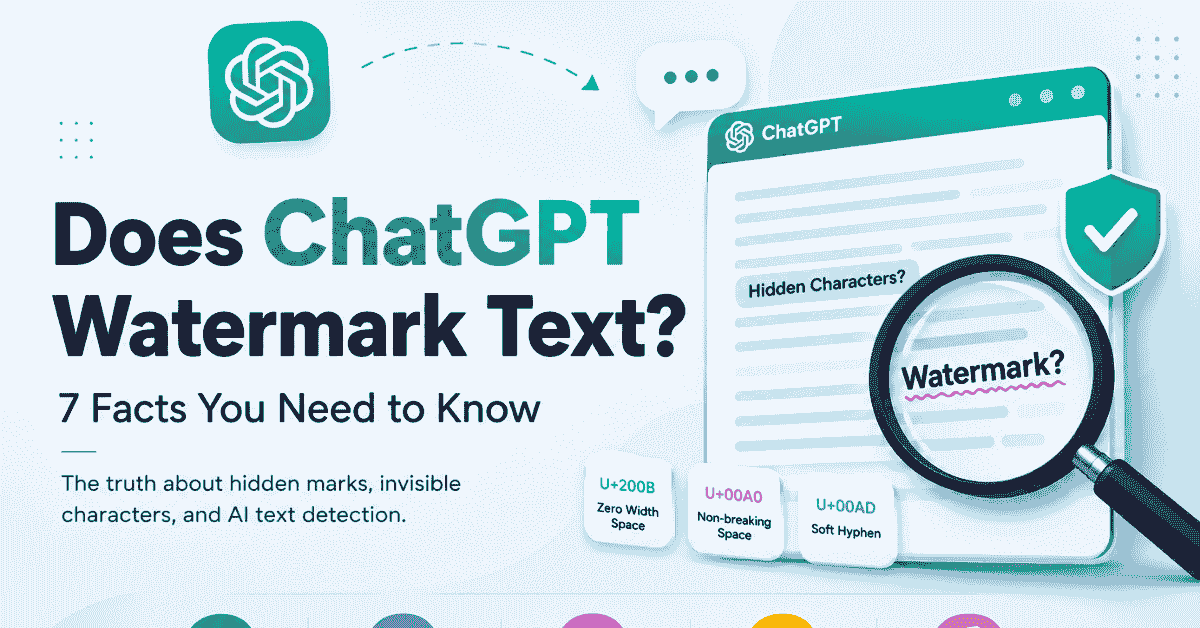
Copied text can contain special Unicode characters that look identical to ordinary spaces or appear completely invisible. Examples can include non-breaking spaces, narrow no-break spaces, word joiners, soft hyphens, and zero-width characters.
However, presence alone cannot tell you why a character exists. Browsers, rich-text editors, websites, document converters, CMS platforms, and copy-paste operations can all introduce unusual characters. The safer description is copy-paste artifact or hidden Unicode unless there is evidence showing deliberate watermarking.
Common invisible characters
| Character type | Unicode example | What it can do |
|---|---|---|
| Zero width space | U+200B | Creates an invisible break point |
| Non-breaking space | U+00A0 | Prevents words splitting across lines |
| Narrow no-break space | U+202F | Adds a narrow protected space |
| Soft hyphen | U+00AD | Controls optional word breaks |
| Word joiner | U+2060 | Prevents a line break |
If your goal is simply to inspect or normalize copied text, the ChatGPT Watermark Remover can scan for unusual characters without requiring you to inspect every code point manually.
How Does a Text Watermark Detector Work?
A watermark detector usually scans pasted text for unusual or invisible Unicode characters. A transparent tool should tell you what it detected instead of simply showing a vague "watermark found" warning.
For example, a useful result might say that three U+200B characters and five non-breaking spaces were found. That evidence tells you something concrete about the text. It still does not prove the characters were intentionally inserted by ChatGPT as a tracking mechanism.
A good detector should show:
- Character name
- Unicode code point
- Number of occurrences
- Position in the text
- Before and after preview
- Whether the character will be removed or normalized
This is why adding an Invisible Character Detector to CountFlows later would strengthen this content cluster. It would serve the detection intent, while your existing remover serves the cleanup intent.
How to See ChatGPT Watermarks in Word
The search for how to see ChatGPT watermark in Word is slightly misleading because Microsoft Word cannot confirm that text came from ChatGPT. What it can do is help reveal certain formatting marks and unusual spacing.
Start by opening the Home tab in Word and turning on the paragraph mark button, usually shown as ¶. This reveals ordinary formatting such as spaces, tabs, paragraph breaks, and line breaks. However, not every hidden Unicode character becomes obvious through Word's formatting view.
A more reliable method
For suspicious text, use a Unicode-aware character scanner rather than relying only on what Word displays. Paste a copy of the text into the detector, inspect any reported code points, and then decide whether you want to remove them.
If your problem is visible formatting rather than invisible characters, the AI Text Cleaner is more appropriate. It can handle issues such as unusual punctuation, Markdown, spacing, and other visible formatting without confusing those features with a hidden watermark.
Can You Remove ChatGPT Watermark Text?
You can remove invisible characters and formatting artifacts from copied text. That is a straightforward character-cleaning task. For example, a cleaner can replace a non-breaking space with a regular space or remove a zero-width character.
What you should not promise is that deleting these characters "removes proof of AI generation." There is no confirmed deployed ChatGPT text watermark that can simply be stripped this way. Current competitors increasingly make the same distinction between genuine watermarking and character cleanup.
Before and after example
Before
This is some copied text.
The sentence may look normal, even though an invisible character appears between two words.
After
This is some copied text.
The visible meaning stays the same. Only the unwanted character changes.
For badly broken paragraphs, use the Remove Line Breaks tool instead. Each tool should solve a different problem rather than treating every formatting issue as a watermark.
ChatGPT Watermarks vs AI Detection
This is where many pages confuse users. An AI watermark detector and an AI-writing detector are not necessarily looking for the same thing.
A character scanner can find Unicode code points. An AI-writing detector may instead examine statistical or linguistic characteristics of the writing. Removing a zero-width character does not automatically change sentence structure, vocabulary, ideas, or writing style.
| Check | What it examines |
|---|---|
| Hidden character detector | Unicode characters |
| Formatting cleaner | Spaces, punctuation, Markdown |
| AI-writing detector | Patterns in the writing |
| Provenance verifier | Supported embedded provenance signals |
So, can you tell whether text was copied from ChatGPT merely because you found an unusual space? No. That character could have several origins.
This direct distinction also gives the article better AEO potential because it answers one of the questions currently appearing around this search topic.
What Does OpenAI Actually Watermark?
OpenAI's current provenance documentation is much clearer for media. Supported generated images can contain both C2PA metadata and SynthID watermarks. Supported generated audio can also include SynthID. Its public verification tool currently focuses on supported images and audio.
That makes text different. OpenAI has publicly discussed and researched text watermarking, but its current provenance documentation does not list normal ChatGPT text as a deployed supported watermark format. This distinction should stay prominent because it makes your page more accurate than sites that describe every invisible character as an official OpenAI watermark.
How to Check ChatGPT Text for Hidden Characters
If copied text behaves strangely, you don't need to guess. Start with the simplest possible check.
- Copy the text without changing it.
- Paste it into the ChatGPT Watermark Remover.
- Scan for invisible or unusual Unicode characters.
- Review what the tool actually found.
- Clean only the unwanted characters.
- Copy the normalized version.
- Compare the result with the original text.
For longer documents, first check the content length with the Word Counter or Character Counter. This helps confirm that cleanup has not unexpectedly removed visible content.
The key is transparency. A useful tool should show what changed rather than claiming that every suspicious character was a secret ChatGPT marker.
Does Removing Hidden Characters Change Your Writing?
Normally, removing a genuine zero-width character or replacing an unusual space should not change the visible wording. However, blindly deleting every Unicode character is a bad approach because many Unicode symbols are legitimate parts of different languages.
A safer cleaner distinguishes between ordinary letters, language-specific characters, punctuation, formatting characters, and genuinely suspicious invisible code points. That approach protects the original meaning while removing unnecessary artifacts.
FAQs
Does ChatGPT put a hidden watermark in text?
There is no confirmed deployed intentional watermark in ordinary ChatGPT text. OpenAI has researched text watermarking, while current documented provenance signals focus on supported images and audio.
What does a hidden watermark in AI text mean?
People often use this phrase for invisible Unicode characters found in copied AI text. Finding such a character does not prove that OpenAI deliberately inserted it as a watermark.
Can a hidden watermark detector prove text came from ChatGPT?
No. A Unicode detector can prove that certain characters exist, but it cannot prove their source merely from their presence.
How do I remove ChatGPT watermark text?
You can scan copied text for hidden characters and normalize or remove unwanted ones. A character cleaner should show exactly what it changed.
How do I see a ChatGPT watermark in Word?
Word's Show/Hide formatting option can reveal standard formatting marks, but it may not expose every invisible Unicode character. A Unicode scanner provides a more complete inspection.
Can I ask ChatGPT to remove its watermark?
There is no confirmed deployed text watermark to ask ChatGPT to remove. You can ask for plain text with standard spaces and minimal formatting, then inspect the result if needed.
Can you tell if text was copied from ChatGPT?
Not reliably from a hidden character alone. Formatting, writing patterns, context, and provenance are separate issues.
Bottom Line
So, does ChatGPT watermark text? Current public evidence does not show an intentional watermark deployed in ordinary ChatGPT text. OpenAI's documented provenance systems currently focus on supported images and audio, while text watermarking remains a separate research area.
What you can encounter are hidden Unicode characters, unusual spaces, soft hyphens, and other copy-paste artifacts. Those characters can be detected and cleaned, but their presence alone does not prove that the text came from ChatGPT.
If copied text looks suspicious, inspect it instead of guessing. Use the ChatGPT Watermark Remover to identify unusual characters, review what was found, and clean only the formatting artifacts you actually want removed.
Related Articles
Continue with closely related CountFlows guides.
AI Tools
How to Remove ChatGPT Formatting from Copied AI Text
Discover five easy ways to remove ChatGPT formatting using an AI text cleaner, plain-text paste options, Microsoft Word, Google Docs, and Notepad.
Writing & Education
Academic Writing Guide: Structure, Examples & Tips for Students
A practical guide to academic writing, including structure, evidence, paragraph building, assignment command words, examples, citations, and editing.
SEO & Content
SEO Content Writing: The 2026 Guide to Ranking on Google
A practical SEO content writing guide covering keyword research, search intent, E-E-A-T, content length data, on-page SEO, and AI search visibility.